

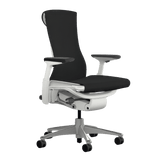

How to Replace the Arm Pads on Your Herman Miller Embody Chair?
Welcome back, Herman Miller enthusiasts! In our Embody series, we're committed to providing you with an array of tips, tricks, and tutorials to help you maintain, replace, and fix parts of your Embody office chairs. Today, the OfficeLogixShop team is excited to guide you through the process of replacing your arm pads. This task is not only quick but also straightforward, ensuring your Embody chair continues to offer the comfort and support you expect. Let's dive in!
Tools Needed:
- New Embody Arm Pads from OfficeLogixShop
- Allen Wrench or Suitable Screwdriver
Steps to Replace the Arm Pads:
Removing the Old Arm Pads:
- Begin by locating all the bolts on the arm pads. Using your Allen wrench or screwdriver, carefully unbolt each one as demonstrated in the video above. Take care to keep all the bolts as they will be needed to secure the new arm pads.
Installing the New Arm Pads:
- Once the old arm pads are removed, take your brand new arm pads and align them with the armrests.
- Secure the new arm pads in place by reinstalling the bolts you previously removed. Ensure they are tightened properly to prevent any movement or instability.
Frequently Asked Questions
What tools are required to replace the arm pads on the Herman Miller Embody chair?
You will need new arm pads from OfficeLogixShop and an Allen wrench or a suitable screwdriver to complete the replacement process.
How do you safely remove the old arm pads from the Embody chair?
Begin by locating all the bolts on the arm pads. Using your Allen wrench or screwdriver, carefully unbolt each one. Take care to keep all the bolts safe, as they will be needed to secure the new arm pads during the installation step.
What are the steps for properly installing the new arm pads?
Once the old arm pads are removed, take your brand new arm pads and align them with the armrests. Secure the new arm pads in place by reinstalling the bolts you previously removed, ensuring they are tightened properly to prevent any movement or instability.
Conclusion:
There you have it, a simple and effective way to replace the arm pads on your Herman Miller Embody chair. With this quick upgrade, your chair will continue to provide the unparalleled comfort and ergonomic support Herman Miller is known for. Remember, keeping your office chair in top condition not only enhances your workspace but also supports your productivity and wellbeing.
 Herman Miller Embody Chair (Renewed)
 Arm Pads for Herman Miller Embody Chairs by OLS
 How to Replace Herman Miller Embody Chair Arms | OfficeLogixShop Tutorial
 Secure the Herman Miller Embody Chair Back Properly – OfficeLogixShop
 How to Unbox and Install The Herman Miller Embody Chair?